What is SeeMeHire?

SeeMeHire is a centralised platform that allows employers to unlock the capability to connect with and manage multiple campus partnerships through a single interface. It streamlines the entire hiring process from posting jobs and engaging candidates to screening talent with AI-powered tools while ensuring consistent brand presence across all connected institutions. With standardized agreements, reports, and analytics, SeeMeHire enables faster, more efficient campus recruitment at scale.
Explore SeeMeHire
1. Log in to the career portal with your registered email address and password.
2. You will land on your Dashboard upon successful login. Hover over the Profile icon to expand the menu, and click SeeMeHire.
3. To go to SeeMeHire, select What is SeeMeHire?
4. You will be redirected to the SeeMeHire landing page. You can easily explore SeeMeHire and learn more about how the platform works, its benefits, available plans, and client testimonials by clicking on the tabs in the Navigation Bar.
Talk to Us
1. If you are interested in SeeMeHire and would like to have a discussion, you can let us know by selecting Talk to Us from the Profile icon dropdown menu.
2. You will land on the SeeMeHire Contact Us form.
3. Fill out the required information, then click Request for Account.
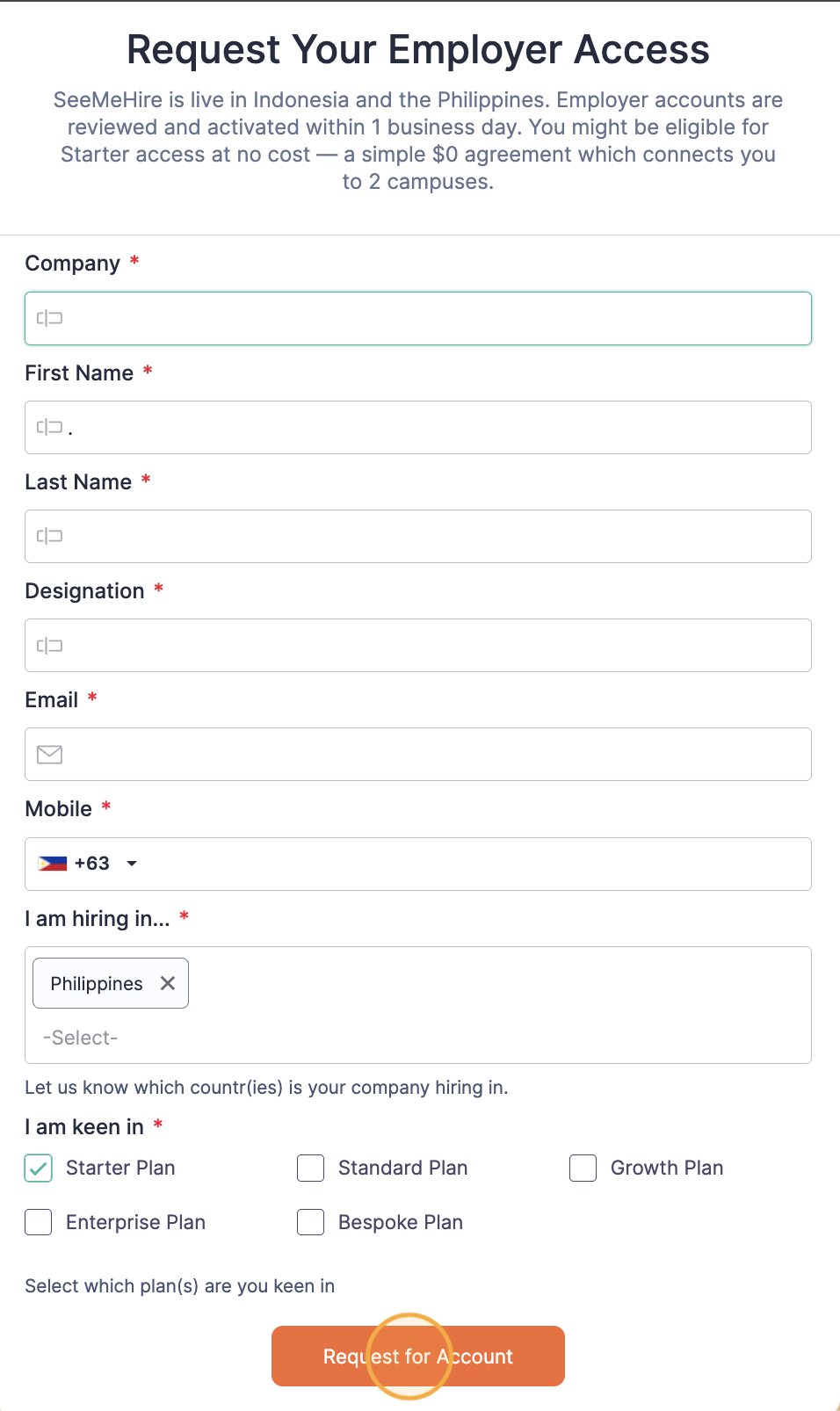
4. Your submission will be reviewed, and you will receive a notification from SeeMeSOL within 1 business day.
Sign Up for SeeMeHire
1. If you would like to get started in your SeeMeHire journey, click Sign Me Up to register for a SeeMeHire employer account.
2. You will land on the SeeMeHire Sign Up Page. If you would like to use your existing employer account to sign up, you can select it from the Existing Employer Profiles dropdown. This will automatically complete the form with the information in your profile. Otherwise, you can fill out the Sign Up form with the mandatory information.
3. Once done, click Submit.
4. Your submission will be reviewed, and you will receive a notification from SeeMeSOL within 1 business day.